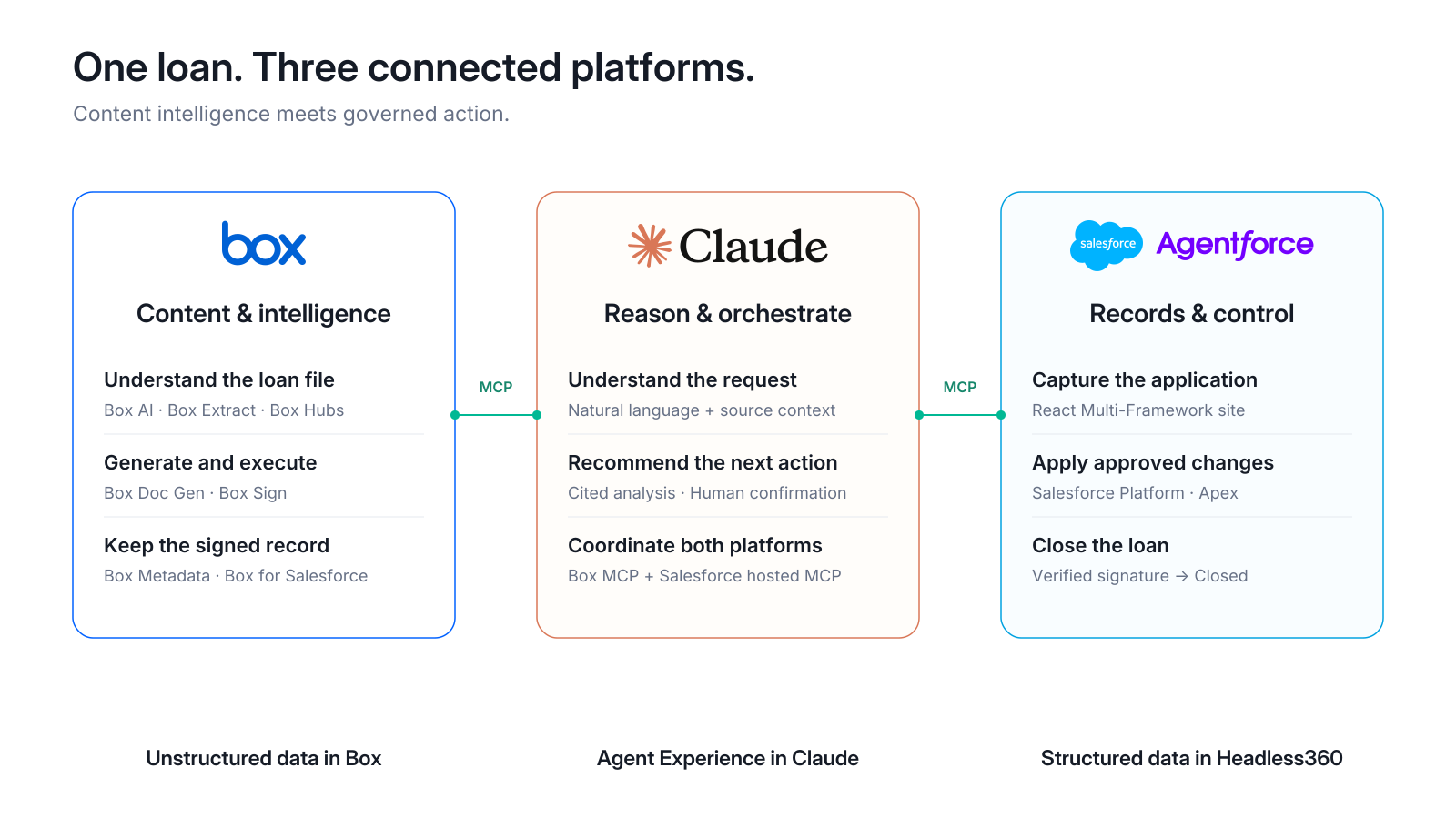
The loan journey
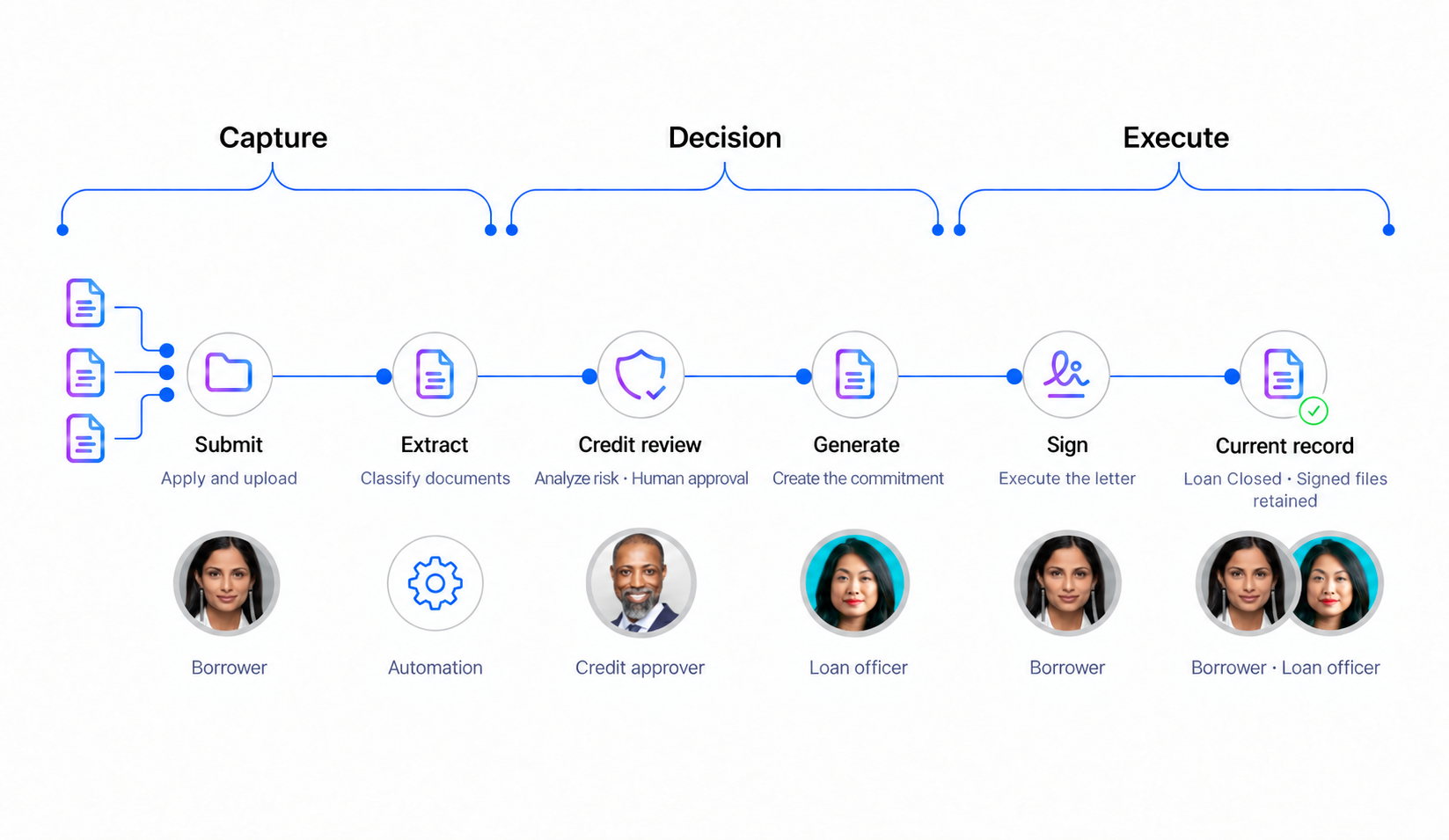
* Step 1 — Start with the business need
| Persona | Presenter |
|---|
| Tell — goal | Harborview needs warehouse financing; the bank needs evidence and a clear decision. |
|---|
| Show — action | Follow the borrower, then the loan officer. |
|---|
| Tell — business value | Shorten the path from application to funding. |
|---|
Start with the business need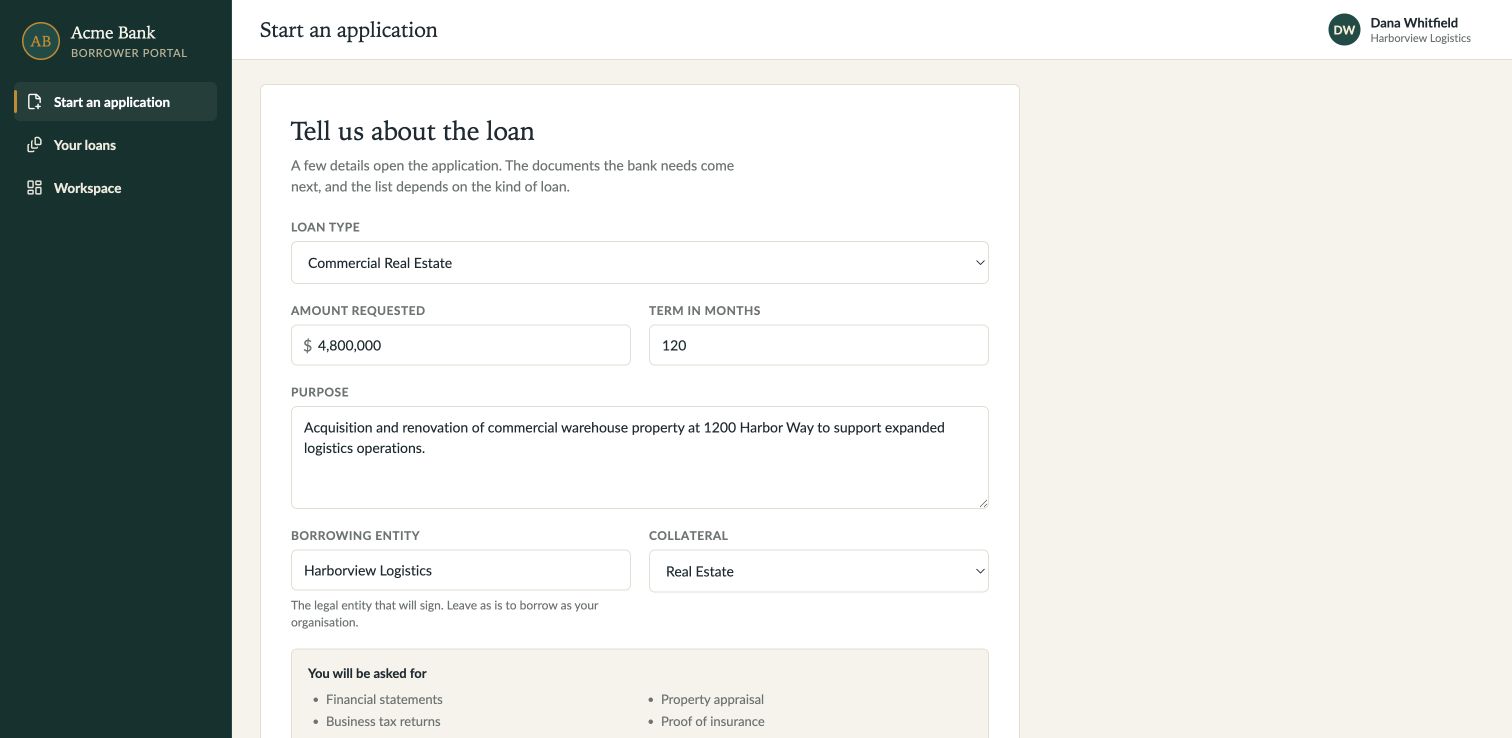
What to click
| 1 | Portal |
|---|
| 2 | Start an application |
|---|
| 3 | pause on the form. |
|---|
Details
| Note | Box holds the documents; Salesforce holds the loan record; Claude guides the officer. |
|---|
* Step 2 — Create the application
| Persona | Dana Whitfield · Borrower |
|---|
| Tell — goal | Start with the business need. |
|---|
| Show — action | Enter $4.8 million, 120 months, and real estate collateral. |
|---|
| Tell — business value | Reduce intake rework with one shared loan record. |
|---|
Create the applicationWhat to click
| 1 | Commercial Real Estate |
|---|
| 2 | 4,800,000 |
|---|
| 3 | 120 months |
|---|
| 4 | purpose |
|---|
| 5 | Real Estate |
|---|
| 6 | Submit application. |
|---|
Details
| Note | Keep the newly created loan selected for the rest of the demo. |
|---|
* Step 3 — Upload the documents
| Persona | Dana Whitfield · Borrower |
|---|
| Tell — goal | Deliver the package without labeling every file manually. |
|---|
| Show — action | Upload the documents; watch classification update the checklist. |
|---|
| Tell — business value | Reduce document chasing with a complete loan file. |
|---|
Upload the documents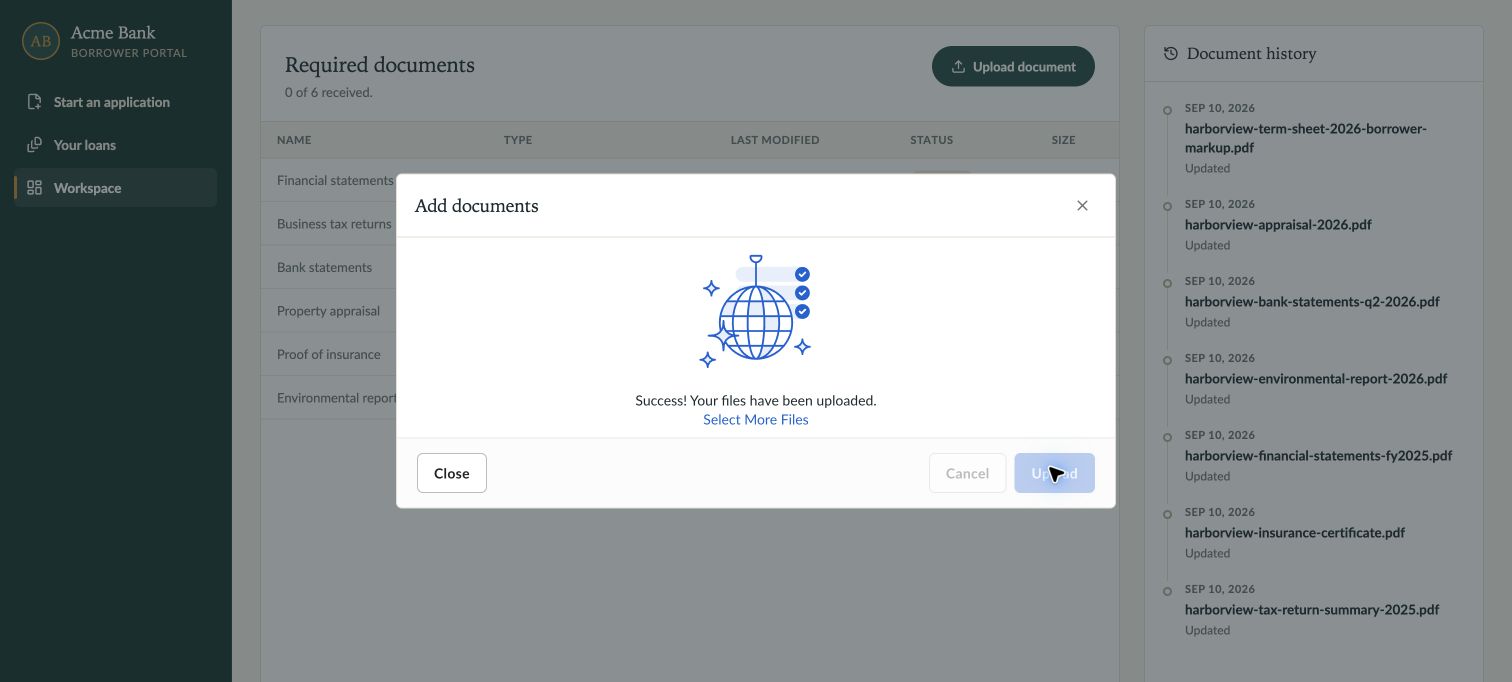
What to click
| 1 | Upload document |
|---|
| 2 | select six supporting PDFs |
|---|
| 3 | Upload |
|---|
| 4 | wait for success |
|---|
| 5 | Close. Add the markup. |
|---|
Details
| Note | Upload six supporting PDFs plus the marked-up term sheet. Confirm the files appear on the same Salesforce loan. |
|---|
* Step 4 — Preview the appraisal
| Persona | Dana Whitfield · Borrower |
|---|
| Tell — goal | Keep the supporting evidence within reach. |
|---|
| Show — action | Open the appraisal directly in the workspace. |
|---|
| Tell — business value | Resolve questions faster with the source in view. |
|---|
Preview the appraisal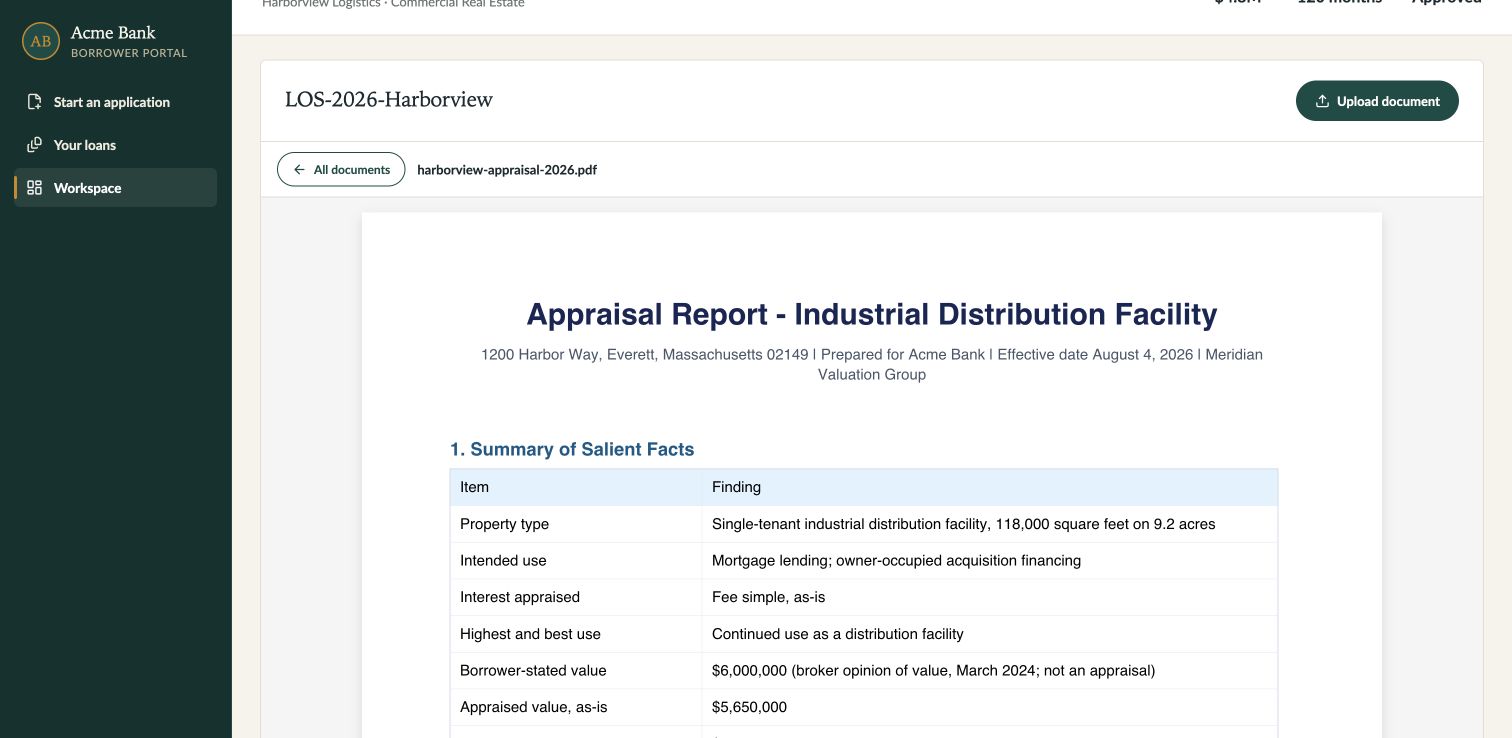
What to click
| 1 | harborview-appraisal-2026.pdf |
|---|
| 2 | inspect valuation |
|---|
| 3 | All documents. |
|---|
Details
| Note | The appraisal values the property at $5.65 million and excludes personal property. |
|---|
* Step 5 — Find critical risks
| Persona | Loan officer · Claude |
|---|
| Tell — goal | Find the risky changes first. |
|---|
| Show — action | Open the flagged term sheet. |
|---|
| Tell — business value | Prioritize critical risks before they delay closing. |
|---|
Prompt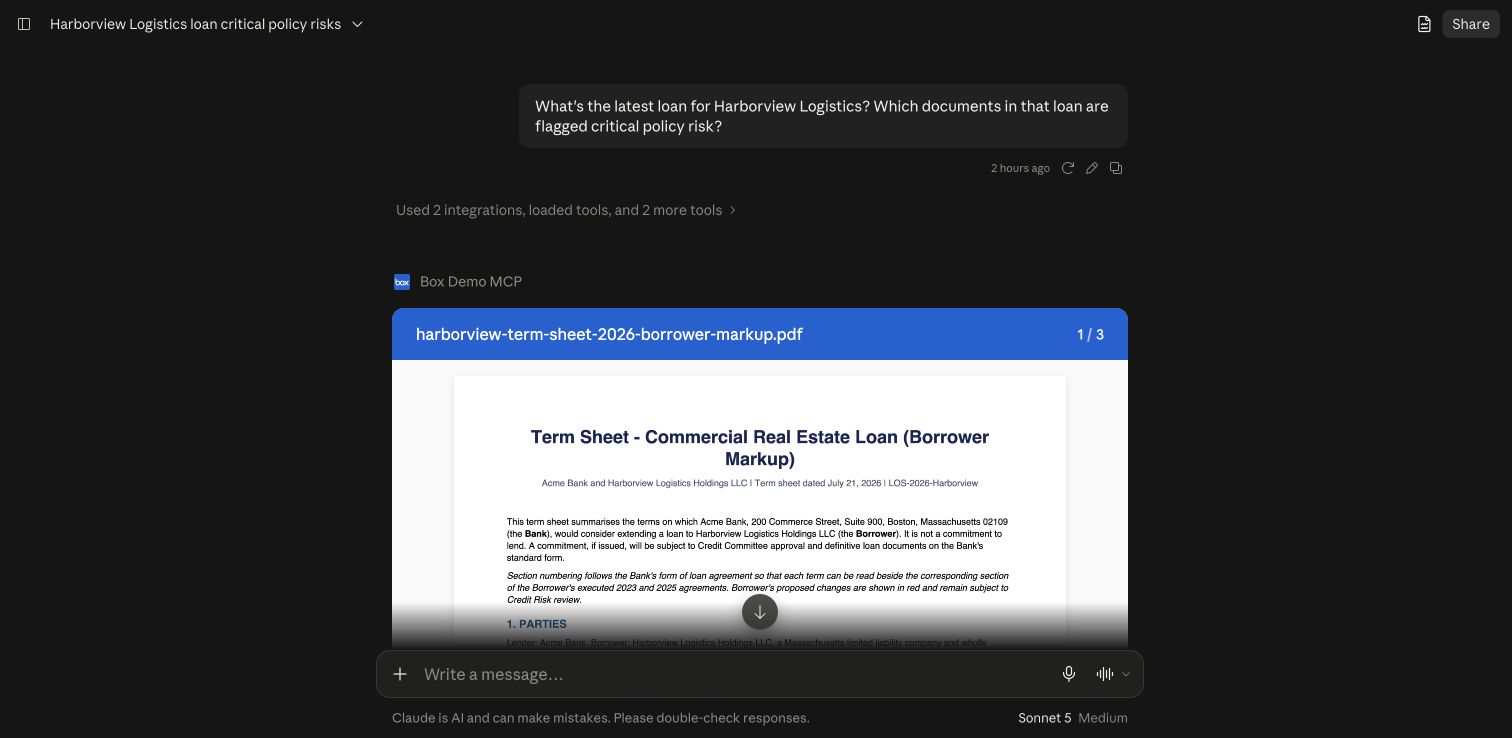 Result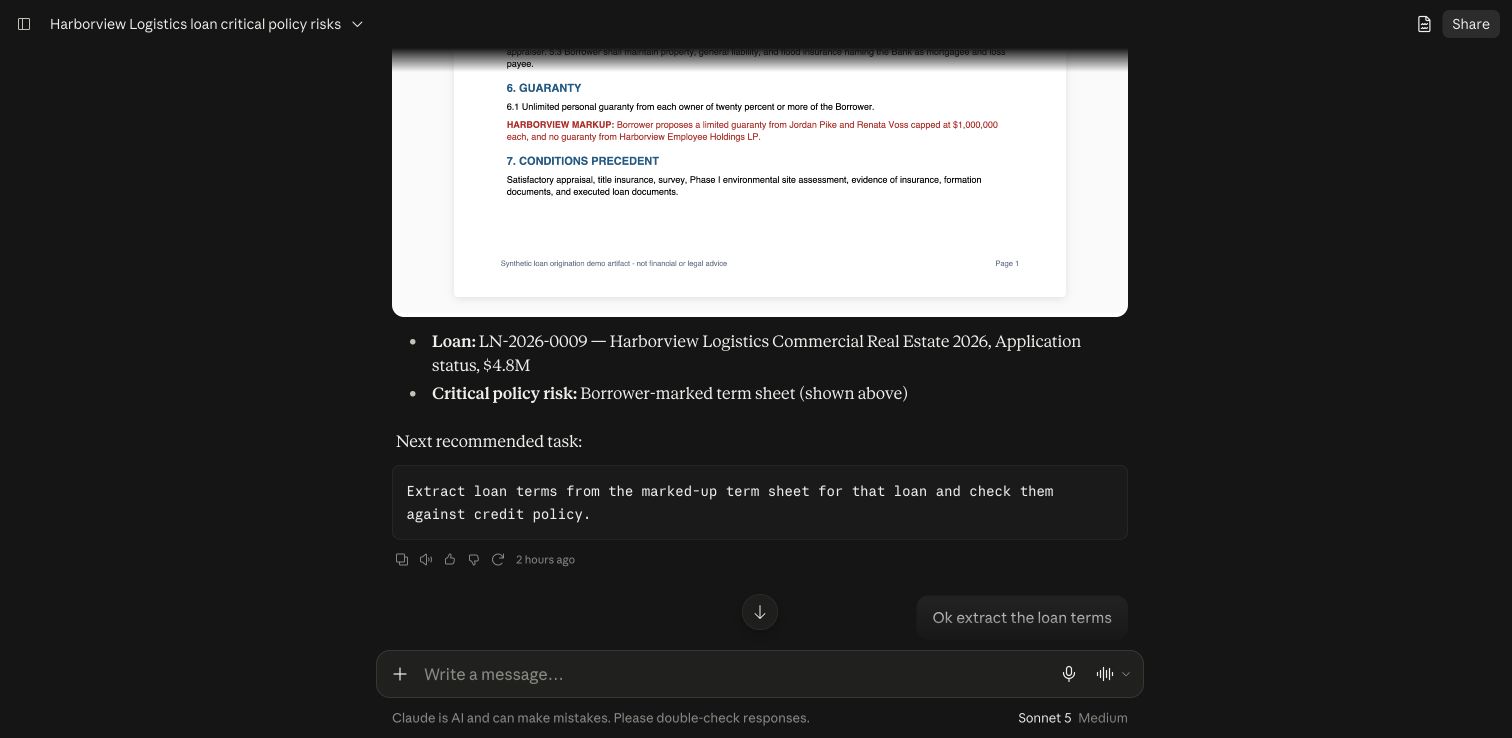
What to click
| 1 | Claude: “What’s the status of Harborview’s distribution facility loan? Which documents in that loan are flagged critical policy risk?” |
|---|
Details
| Note | Use the application just created and scope the search to its folder. |
|---|
* Step 6 — Check credit policy
| Persona | Credit analyst |
|---|
| Tell — goal | Separate borrower requests from bank policy. |
|---|
| Show — action | Compare the markup with cited policy requirements. |
|---|
| Tell — business value | Catch policy exceptions before they become costly rework. |
|---|
Prompt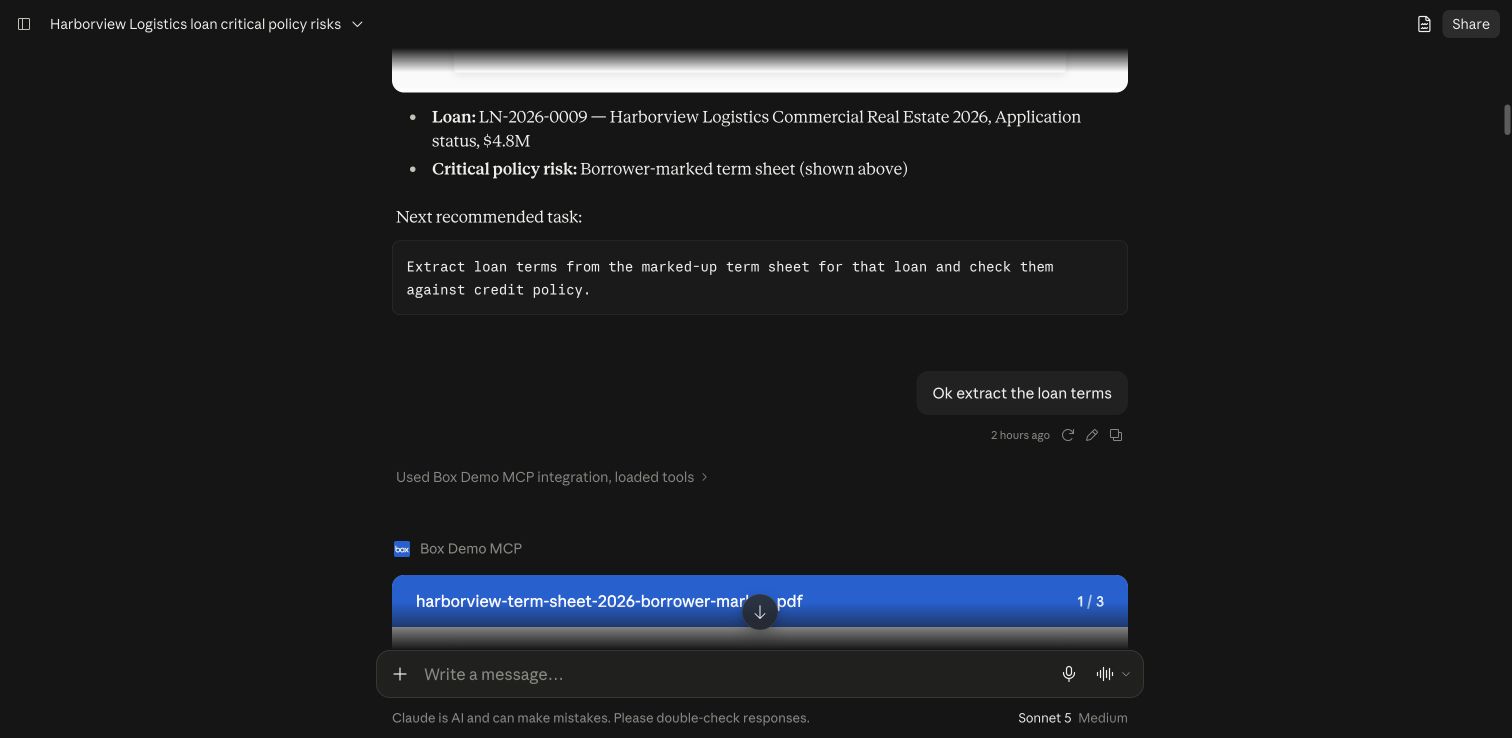 Result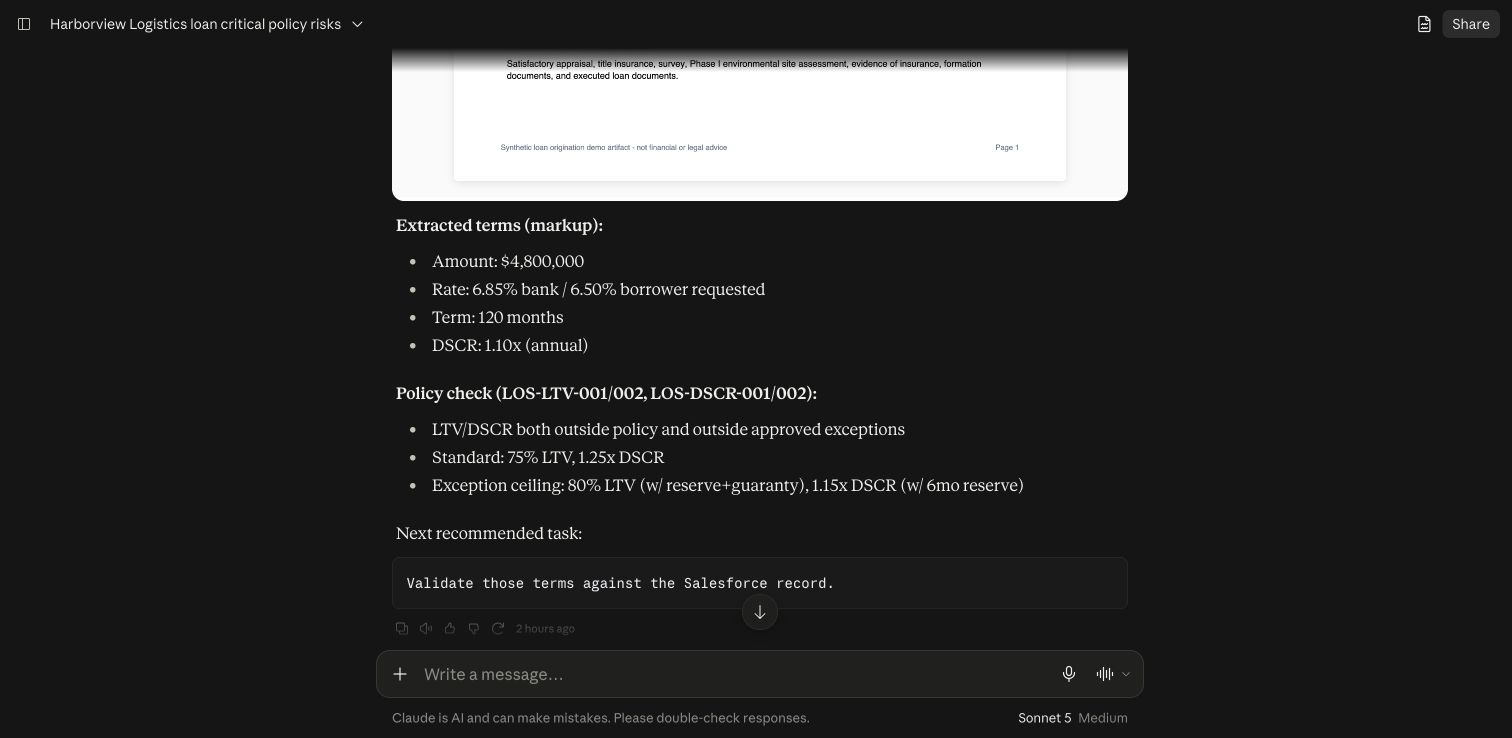
What to click
| 1 | Claude: “Extract loan terms from the marked-up term sheet for that loan and check them against credit policy.” |
|---|
Details
| Note | Compare borrower requests with cited policy; keep requested and approved terms distinct. |
|---|
* Step 7 — Confirm record changes
| Persona | Loan officer |
|---|
| Tell — goal | Analysis should not silently change the record. |
|---|
| Show — action | Review the proposed values, confirm the write, then check the result. |
|---|
| Tell — business value | Reduce rekeying errors while keeping people in control. |
|---|
Confirm record changes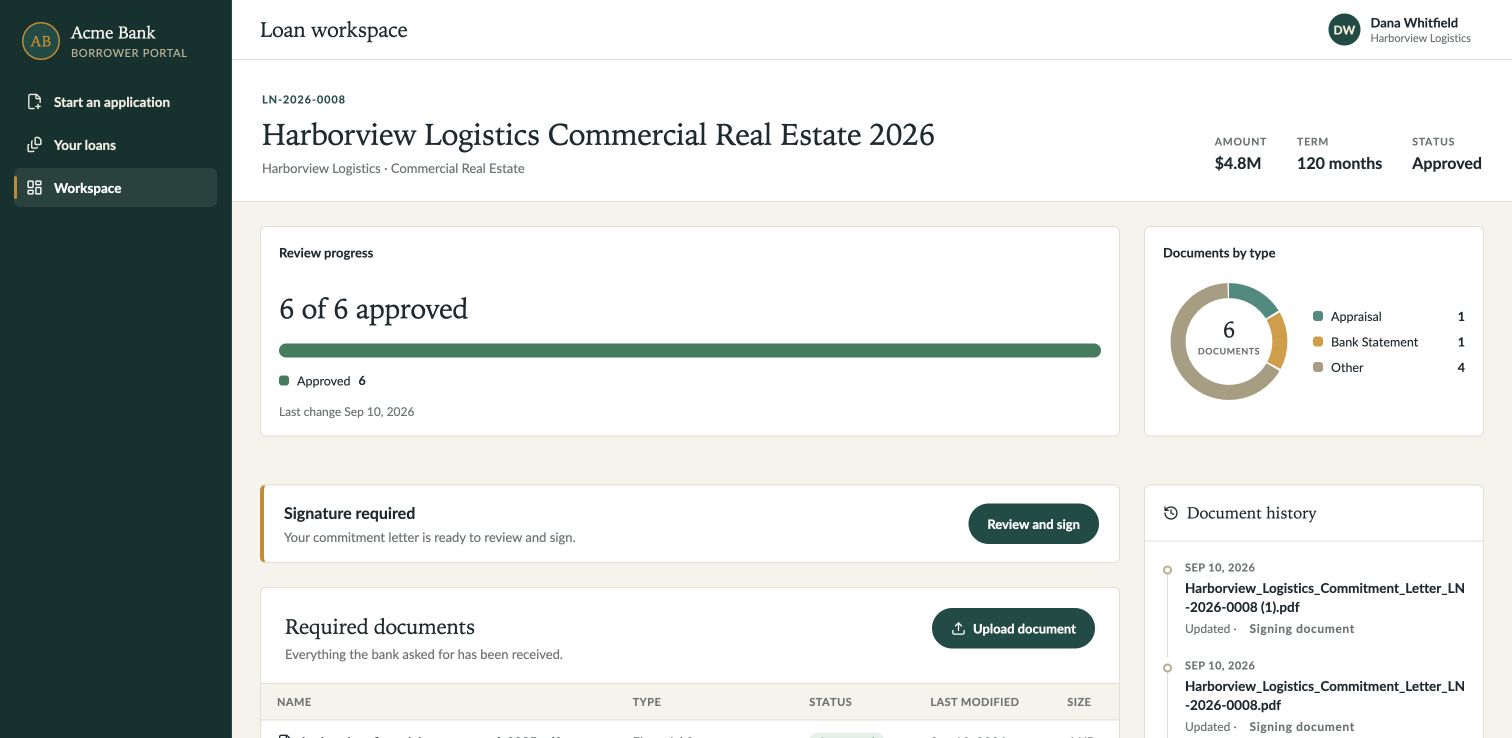
What to click
| 1 | Claude: “Validate those terms against the Salesforce record.” Review, then: “Apply only the reviewed amount, rate and term to this loan, confirm.” |
|---|
Details
| Note | Apply only the reviewed amount, rate and term. Re-read the record to confirm the changes. |
|---|
* Step 8 — Compare prior loans
| Persona | Credit analyst |
|---|
| Tell — goal | Check what this borrower previously accepted. |
|---|
| Show — action | Compare the executed agreements with today’s markup. |
|---|
| Tell — business value | Strengthen credit decisions with relevant precedent. |
|---|
Prompt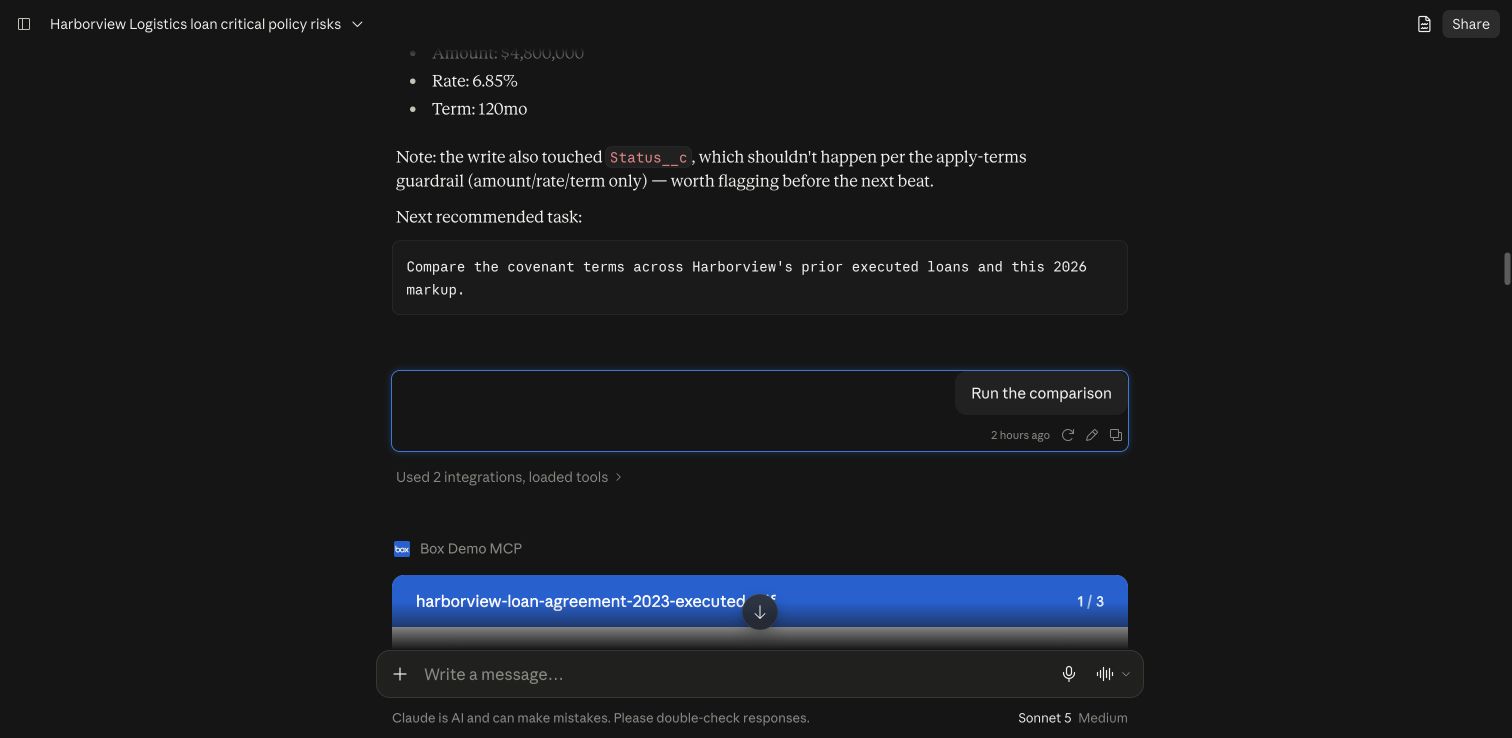 Result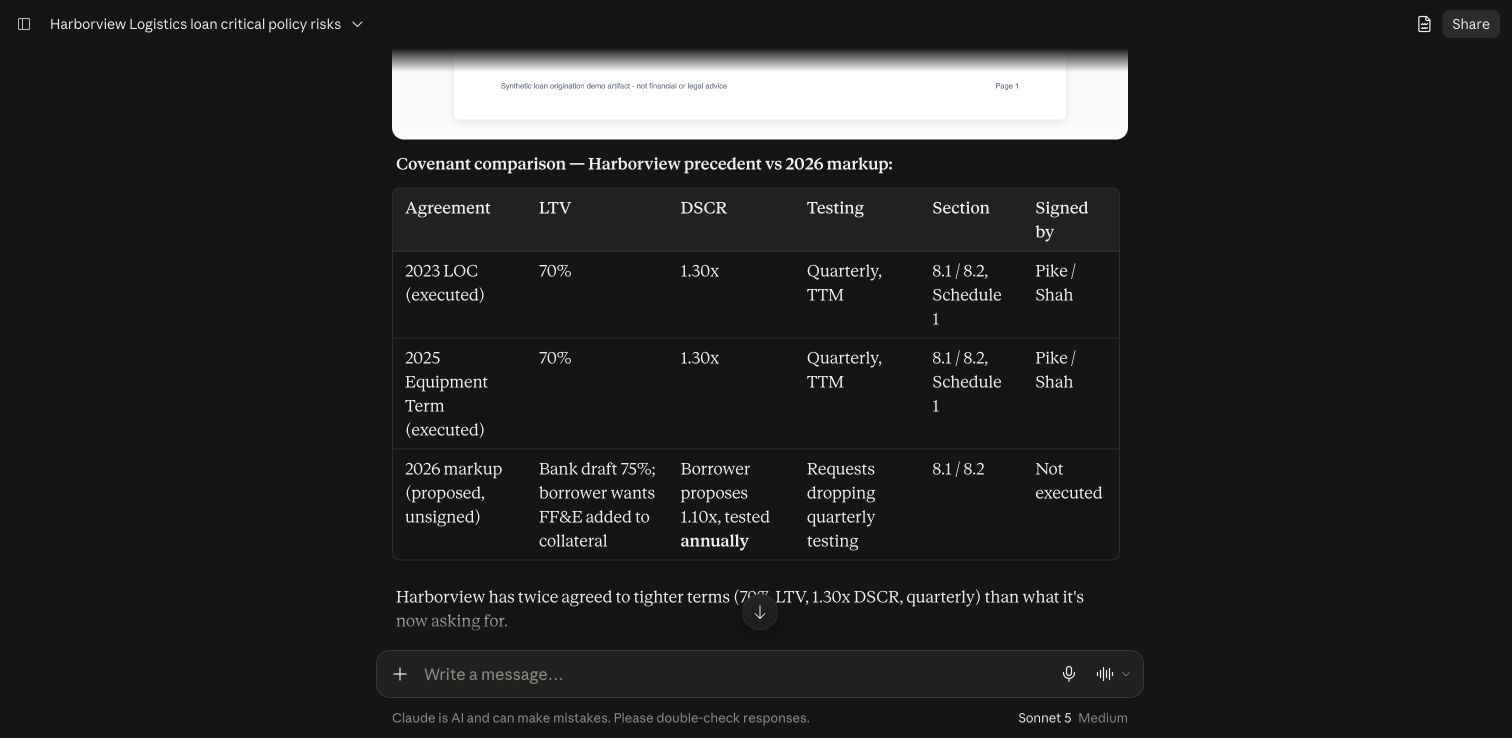
What to click
| 1 | Claude: “Compare the covenant terms across Harborview’s prior executed loans and this 2026 markup.” |
|---|
Details
| Note | Compare covenant thresholds, test frequency, guaranties and signatories. |
|---|
* Step 9 — Record approval
| Persona | Credit approver |
|---|
| Tell — goal | Document review and loan approval are separate decisions. |
|---|
| Show — action | Check both statuses before proceeding. |
|---|
| Tell — business value | Keep the loan moving with accountable approvals. |
|---|
Record approvalWhat to click
| 1 | Review document statuses |
|---|
| 2 | confirm the intended approval scope |
|---|
| 3 | verify authorized loan approval |
|---|
| 4 | refresh workspace. |
|---|
Details
| Note | Document approval and loan approval are separate. Confirm both before sending for signature. |
|---|
* Step 10 — Generate and send the letter
| Persona | Loan officer |
|---|
| Tell — goal | Turn approved terms into a populated letter and a governed signature request. |
|---|
| Show — action | Continue the combined generation-and-signing recommendation. |
|---|
| Tell — business value | Reduce paperwork and accelerate borrower acceptance. |
|---|
Confirm and send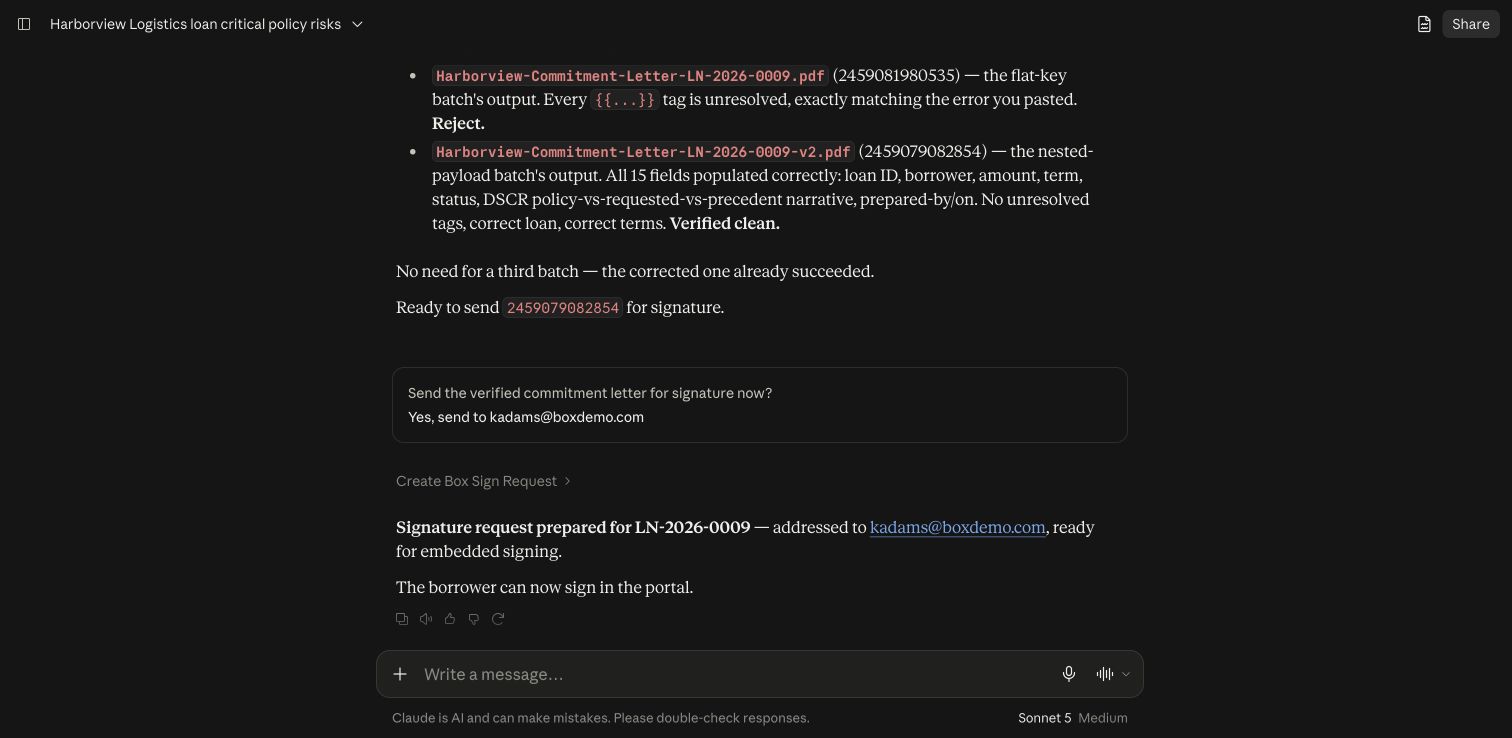 Commitment letter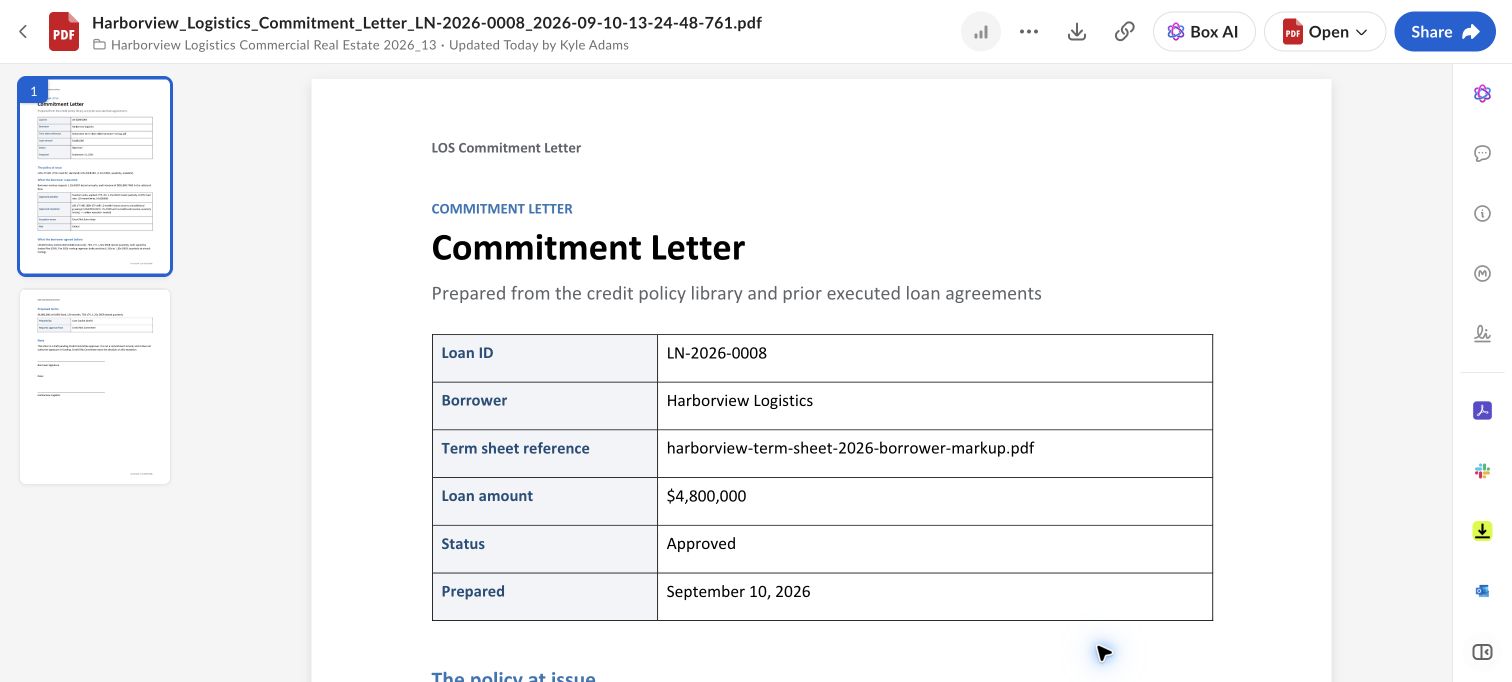
What to click
| 1 | Claude: Generate the commitment letter for this loan and send it for signature using the confirmed signer. |
|---|
| 2 | continue or confirm the recommended action when needed |
|---|
| 3 | inspect the exact generated output |
|---|
Details
| Note | The assistant checks the generated letter before sending it to the confirmed signer. |
|---|
* Step 11 — Sign the letter
| Persona | Dana Whitfield · Borrower |
|---|
| Tell — goal | The borrower explicitly opens the signing ceremony. |
|---|
| Show — action | Dana chooses Review and sign to open the signing workspace. |
|---|
| Tell — business value | Make signing convenient and speed up closing. |
|---|
Sign the letter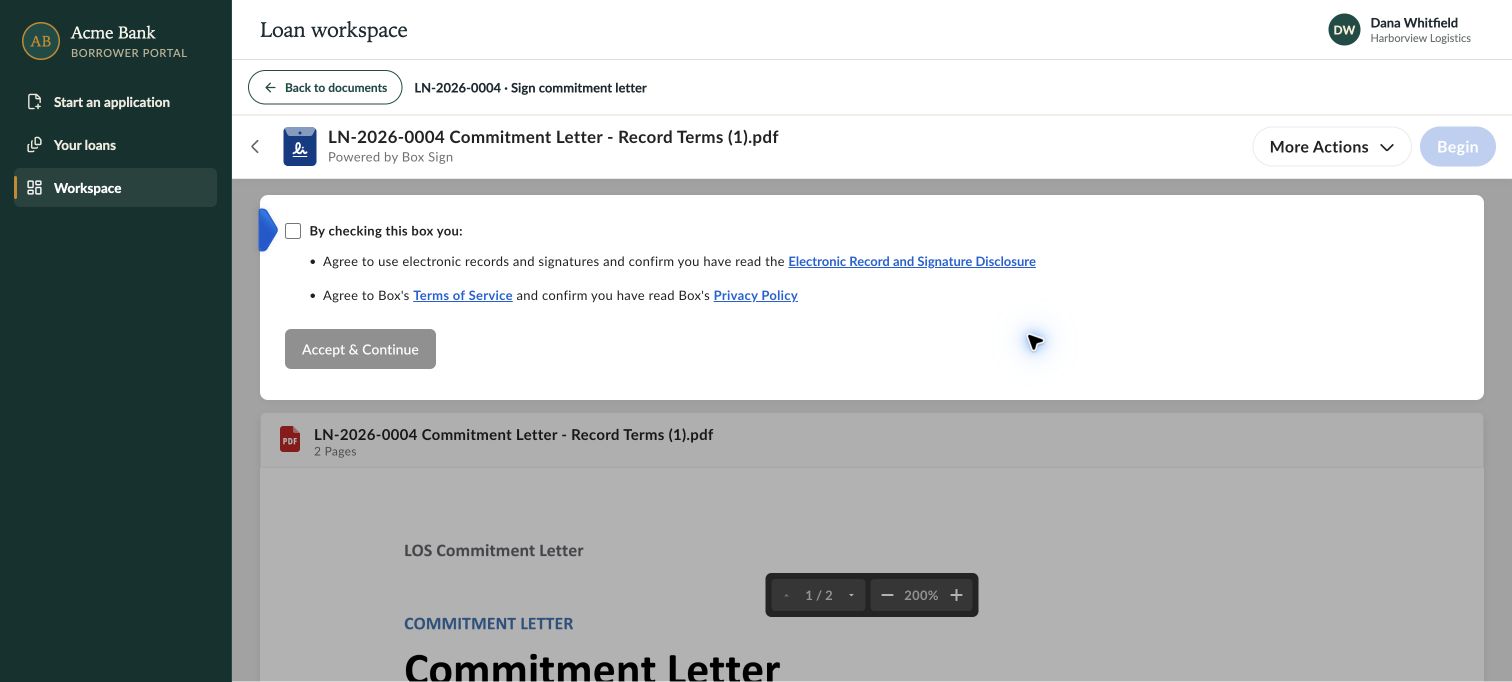
What to click
| 1 | Portal: Review and sign |
|---|
| 2 | accept disclosure |
|---|
| 3 | Begin |
|---|
| 4 | enter signature |
|---|
| 5 | Sign & Finish |
|---|
| 6 | return to workspace |
|---|
Details
| Note | Box confirms completion before the portal closes the signing pane and updates the loan. |
|---|
* Step 12 — Open the signed documents
| Persona | Dana Whitfield · Borrower |
|---|
| Tell — goal | Signing completes this loan, and the borrower keeps access to the records. |
|---|
| Show — action | Verify Closed, then open the signed commitment letter and signing log. |
|---|
| Tell — business value | Give borrowers lasting access to their signed records. |
|---|
Open the signed documents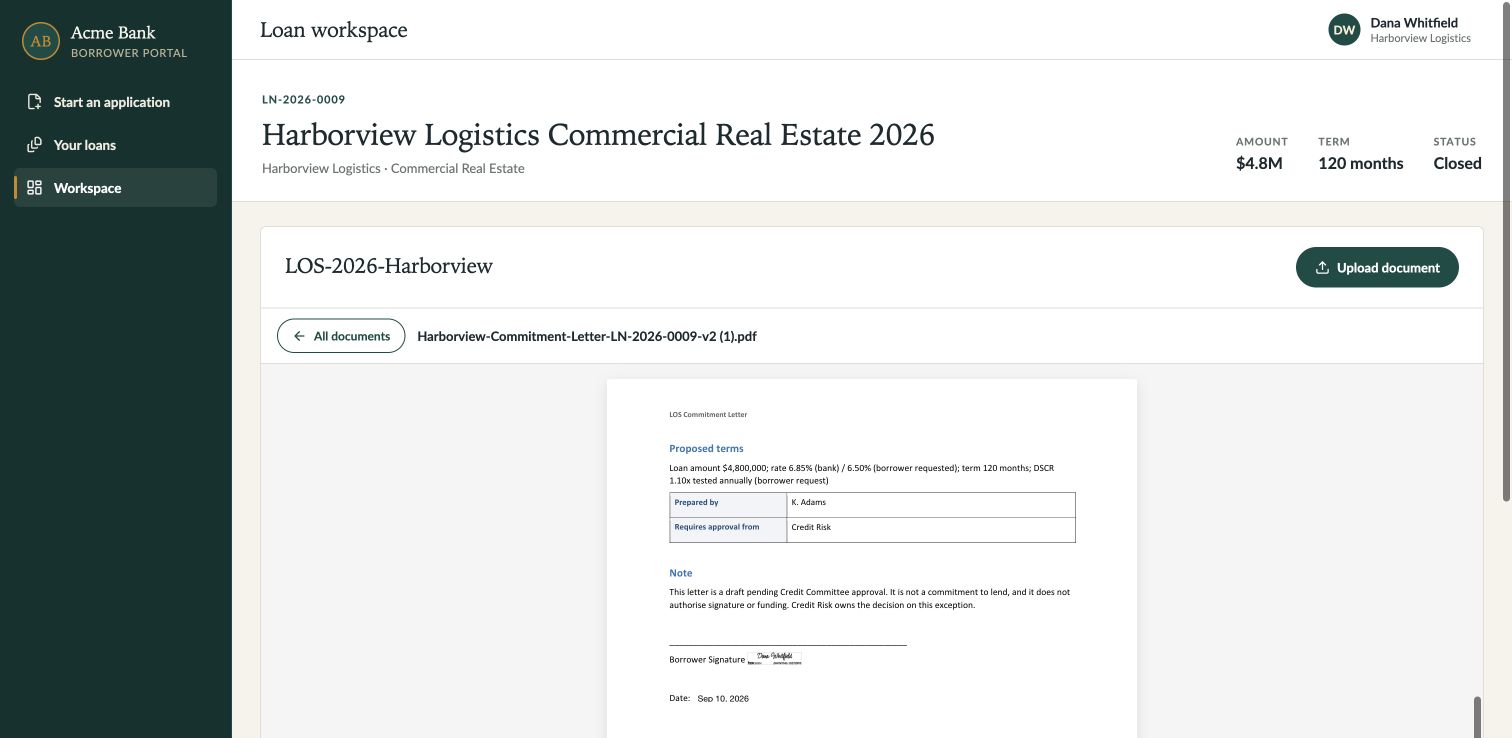
What to click
| 1 | Wait for the workspace to return |
|---|
| 2 | verify loan status Closed |
|---|
| 3 | open Signed Commitment Letter |
|---|
| 4 | return to documents |
|---|
| 5 | open Signing Log |
|---|
| 6 | refresh and verify both remain |
|---|
Details
| Note | The loan is Closed. The signed letter and signing log remain available; supporting-document review totals stay separate. |
|---|
Signed commitment letter preview
Signing log preview
* Step 13 — Close the story
| Persona | Presenter |
|---|
| Tell — goal | We started with an application and a document package. |
|---|
| Show — action | Review the Closed loan, document list, and retained signing history. |
|---|
| Tell — business value | Close loans faster with traceable decisions and documents. |
|---|
Close the story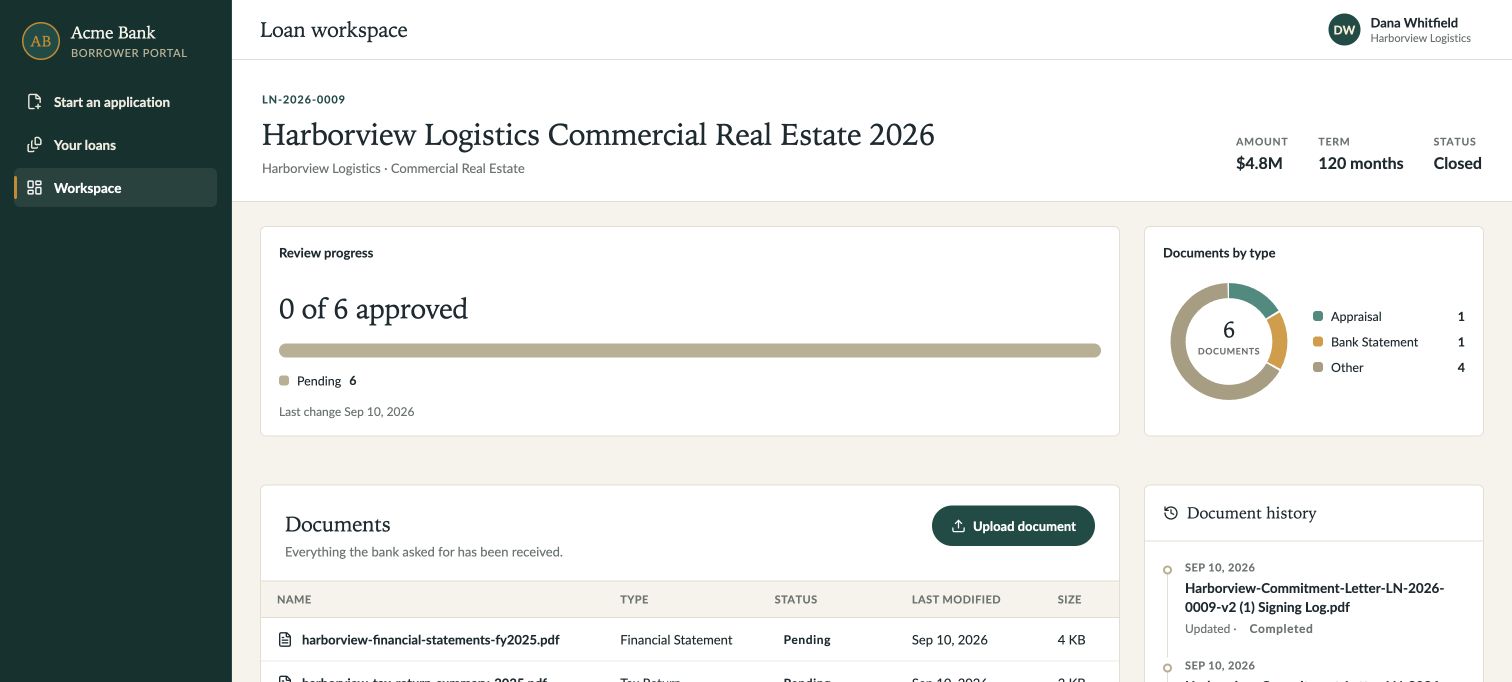
What to click
| 1 | Return to workspace |
|---|
| 2 | point to Closed, Documents, and Document history. |
|---|
Details
| Note | Box connects the evidence, Salesforce records the decisions, and people authorize the actions. |
|---|